QuantLayer Console Overview
Centralized control plane for enforcing Zero Trust across IT, OT/ICS, and IoT with safe enforcement from cloud to on-prem to edge.
Overview
The QuantLayer Console is the centralized control plane for enforcing Zero Trust across enterprise IT, industrial OT/ICS, and IoT environments-providing unified visibility, continuous verification, and operationally safe enforcement from cloud to on-prem to edge.
Where to Start
Open Assets & Devices to confirm identity enrollment, posture, and last seen status. Filter by OS, site, zone, or fleet to focus on specific business units or plants.
Review trust drift (e.g., missing patches, policy violations, tamper events). Prioritize remediation using risk signals and alert severity.
Apply least-privilege policies and microsegmentation by zone / conduit. Use staged enforcement modes for OT (observe → enforce) to avoid downtime.
Investigate events, correlate identity + device + network signals, and trigger response actions. Quarantine compromised devices or require step-up verification.
Console Screenshots (Reference)
The visuals show a typical flow: Assets & Devices provides an identity + posture inventory, and the Console action opens a remote shell for safe, auditable operations such as patch checks and updates.
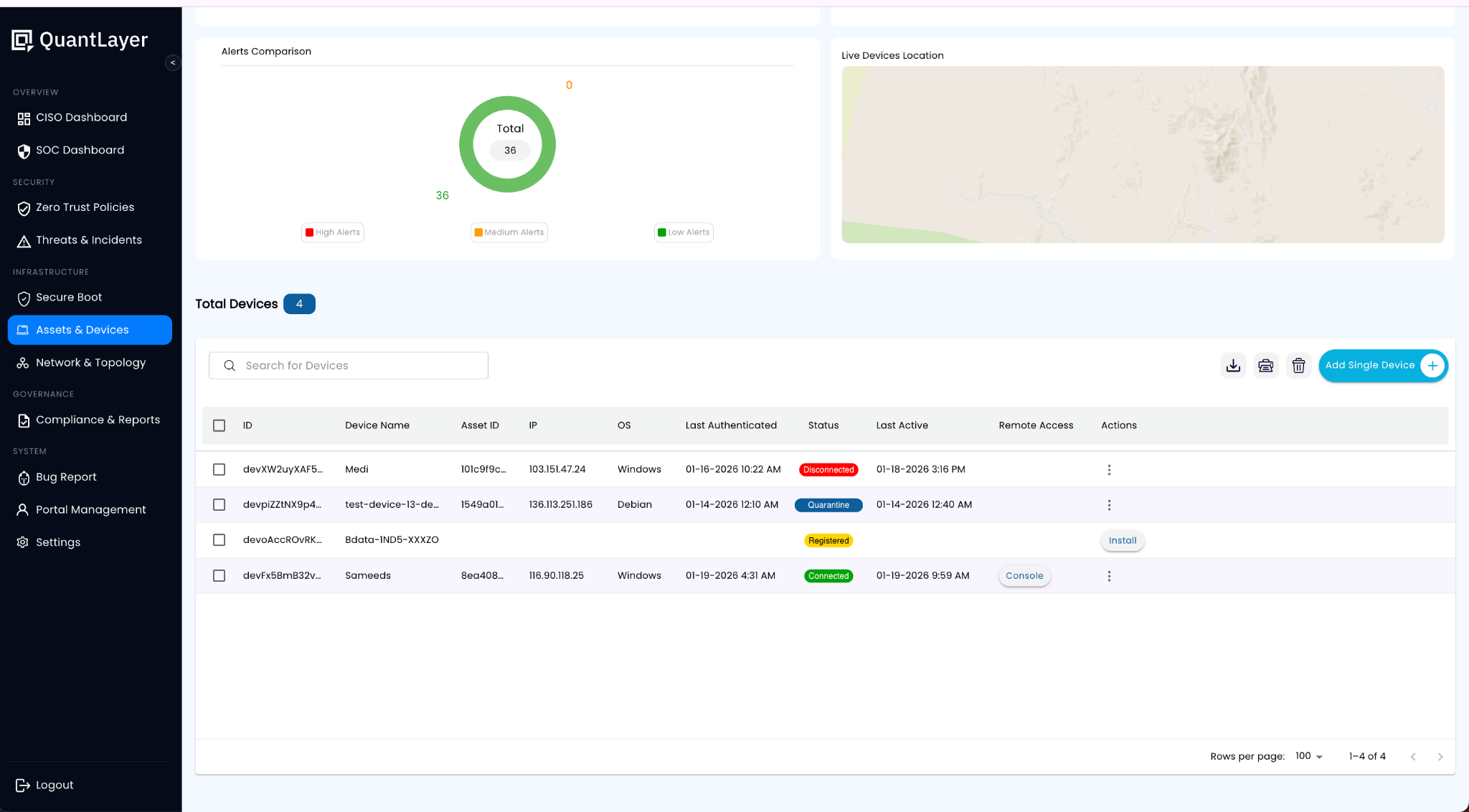
View device identity, OS, last authenticated time, status, and remote access action (“Console”) for each asset. Use this to quickly spot disconnected, quarantined, or unpatched endpoints across IT/OT/IoT.
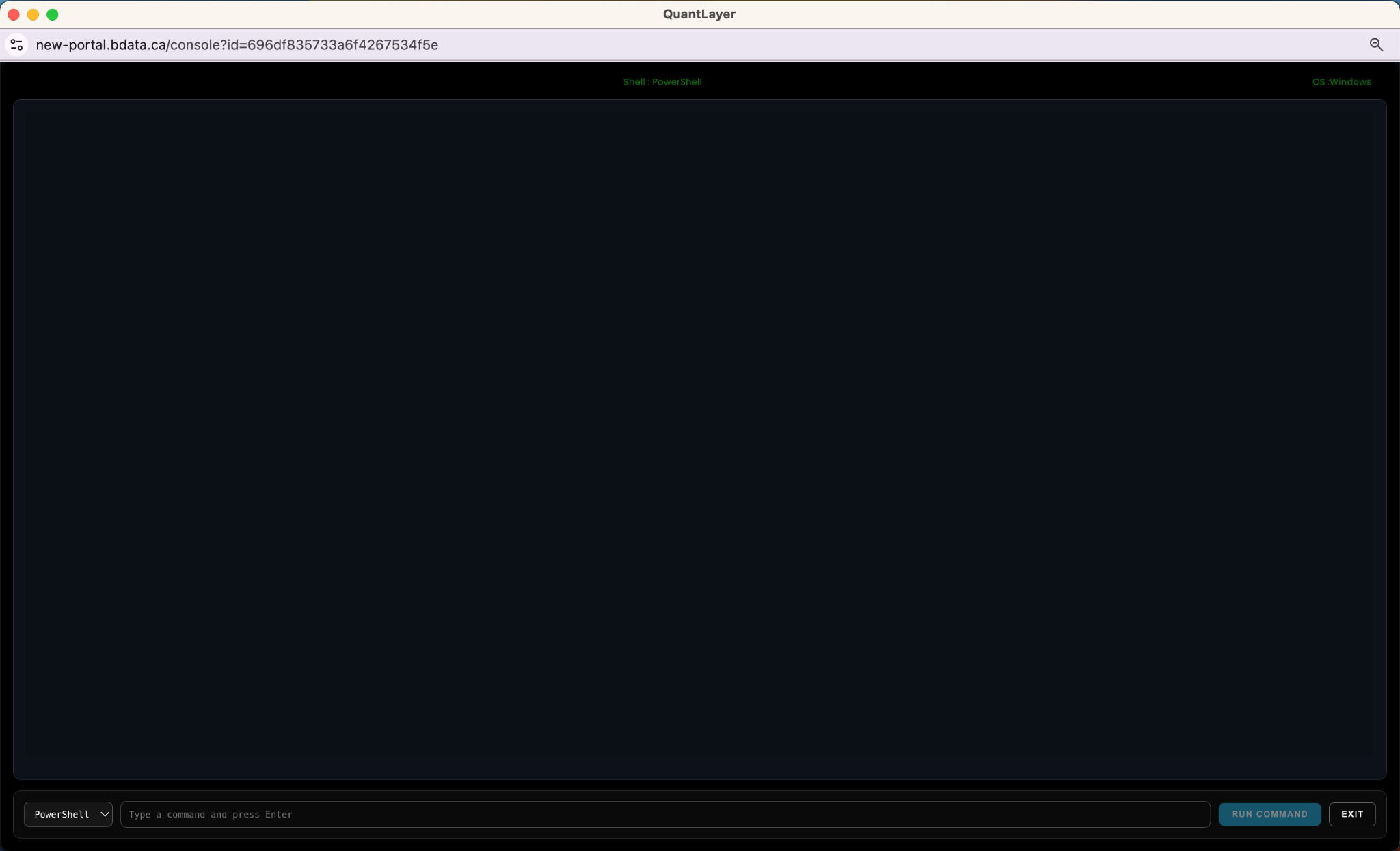
Launch an auditable session (e.g., PowerShell/Bash) to validate posture, run patch checks, or execute approved remediation commands with least privilege.
Patch Management Examples (What Users See)
Below are example commands and sample responses to demonstrate patch posture and controlled updates. Your developer can wire these to your agent/runner so the console displays command output in real time.
Windows (PowerShell) - Command
systeminfo | findstr /B /C:"OS Name" /C:"OS Version"
Get-HotFix | Sort-Object InstalledOn -Descending | Select-Object -First 5
Windows (PowerShell) - Sample Response
OS Name: Microsoft Windows 11 Pro
OS Version: 10.0.22631 N/A Build 22631

Source        Description      HotFixID    InstalledBy          InstalledOn
------        -----------      -------     -----------          -----------
DEV-01        Update           KB5034765   NT AUTHORITY\SYSTEM  1/18/2026
DEV-01        Update           KB5034123   NT AUTHORITY\SYSTEM  1/12/2026
DEV-01        Security Update  KB5033375   NT AUTHORITY\SYSTEM  12/28/2025
DEV-01        Update           KB5032007   NT AUTHORITY\SYSTEM  12/10/2025
DEV-01        Update           KB5029244   NT AUTHORITY\SYSTEM  11/15/2025
Windows (PowerShell) - Optional: Install Updates (example)
# Example if PSWindowsUpdate is approved in your environment
Install-Module PSWindowsUpdate -Force
Import-Module PSWindowsUpdate
Get-WindowsUpdate
Install-WindowsUpdate -AcceptAll -AutoRebootLinux (Debian/Ubuntu) - Command
uname -a
lsb_release -a 2>/dev/null || cat /etc/os-release
sudo apt-get update
apt list --upgradable 2>/dev/null | head -n 12
Linux (Debian/Ubuntu) - Sample Response
Linux edge-gw-07 6.5.0-17-generic #17-Ubuntu SMP x86_64 GNU/Linux
Distributor ID: Ubuntu
Description:    Ubuntu 22.04.4 LTS

Listing...
openssl/jammy-updates 3.0.2-0ubuntu1.15 amd64 [upgradable from: 3.0.2-0ubuntu1.14]
curl/jammy-updates 7.81.0-1ubuntu1.16 amd64 [upgradable from: 7.81.0-1ubuntu1.15]
linux-firmware/jammy-updates 2023.11.15 amd64 [upgradable from: 2023.10.30]
Linux (Debian/Ubuntu) - Controlled Update (example)
# Update packages (example)
sudo apt-get -y upgrade
# Reboot only if needed
[ -f /var/run/reboot-required ] && echo "Reboot required" || echo "No reboot needed"How This Shows Up in QuantLayer
- Console stores the command, output, timestamp, and target device identity for an auditable trail.
- Patch posture updates the device trust score (e.g., “Up-to-date”, “Missing critical patches”, “Reboot pending”).
- Policies can restrict console commands based on role, device zone, and change window approvals.